UNISUITE SHELL: Verify vs Design!
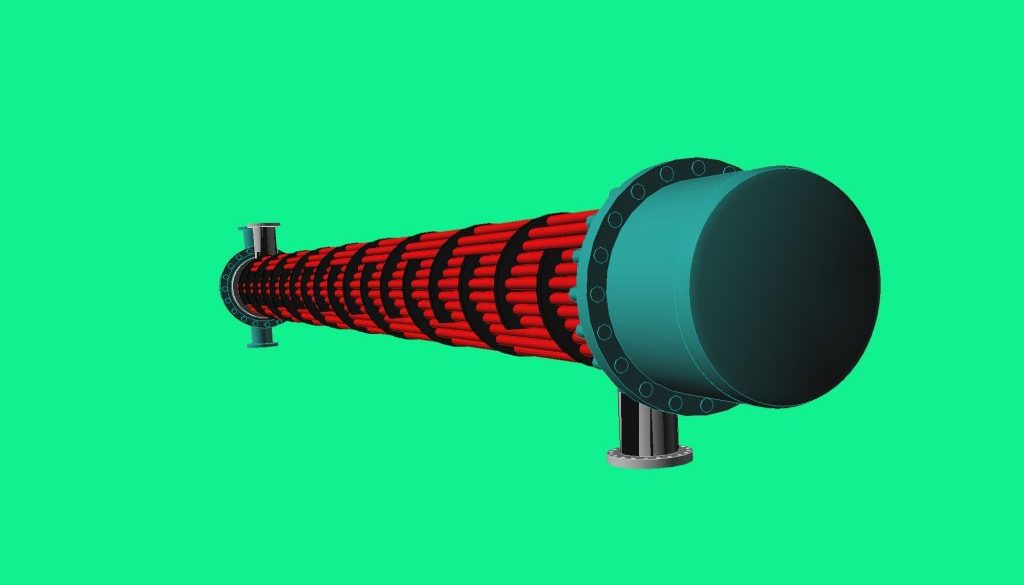
UNISUITE SHELL is the n°1 European Software for the design, rating & selection of Shell & Tube Heat Exchangers, and is the only software in the world that allows the automated design of a new heat exchanger from zero (Design from Scratch) without the specification of any dimensional parameter!
SHELL allows you to select, rate or design exchangers in 8 different calculation typologies: fluid-fluid, evaporation inside tubes, condensing inside/outside tubes, flooded evaporators, Falling film evaporators, steam.
With the software, the user can verify the heat exchanger inserting all dimensional parameters, or design one from scratch. He can create his plates, save them in the archive and only specify the Shell parameters, perform a selection using the plates created and inserted in the archive. He can even create a new series of Shell & Tube heat exchangers, save the full heat exchangers as a series in the archive, and then perform a selection of the heat exchanger from the series created.
First of all, let’s illustrate the functionalities of VERIFY and DESIGN.
VERIFY: the heat exchanger is characterized in all its parts, and the user enters all the geometric parameters, then defines an EXCHANGE AREA.
The user then VERIFIES the behavior of the heat exchanger of which he has inserted the geometric parameters, as the thermal conditions change: temperatures, flow rates, fouling.
DESIGN: the user does not know yet how the heat exchanger will be characterized. Therefore, it does not know its geometric characteristics. He does not know its exchange area.
But the user knows the thermal conditions to which he wants the heat exchanger to operate, or what performance the heat exchanger must have.
In this case, it will be the software that will suggest the construction of the heat exchanger, and therefore the exchange surface closer to the thermal performance required by the user.
In SHELL, you have two ways to design an exchanger:
- DESIGN, WITHOUT selecting the “Automatic” check:
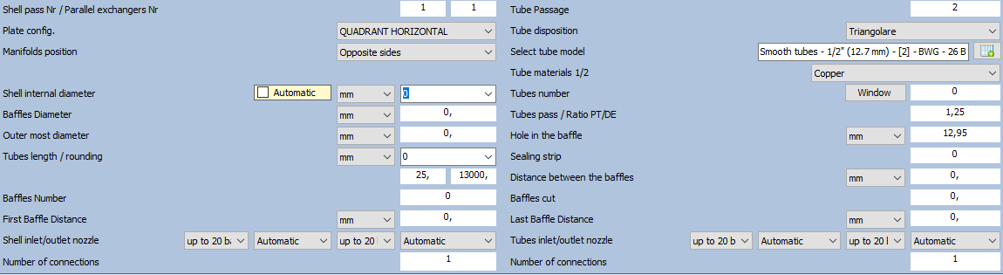
the user only defines:
- Shell internal diameter
- Baffles diameter
- Outer most diameter
- Tube model
- Holes in the baffles
This feature provides only 1 possible solution, as the user has already defined the Shell internal diameter!
- DESIGN, WITH the “Automatic” check selected: the user DOES NOT define any geometric parameters.

Therefore, since the user has not imposed any constraint, the software proposes multiple solutions, varying the Shell internal diameter, which try to meet the thermal demands made by the user.
The various solutions can be viewed by clicking on the BLUE arrows at the top of the mask.